
Daily and per-app limits
Set a total daily screen time and separate limits for games or social media. When time is up, entertainment apps lock; essential apps keep working.
Nimiko helps parents and kids agree on how long to use the phone each day and when to put it away for bed or homework. Kids earn extra time with tasks and exercise, so parents nag less and argue less.
 Get Nimiko Family for parentsInstall on the parent's phone
 Get Nimiko Kid for your child's phoneInstall on your child's phone or tablet
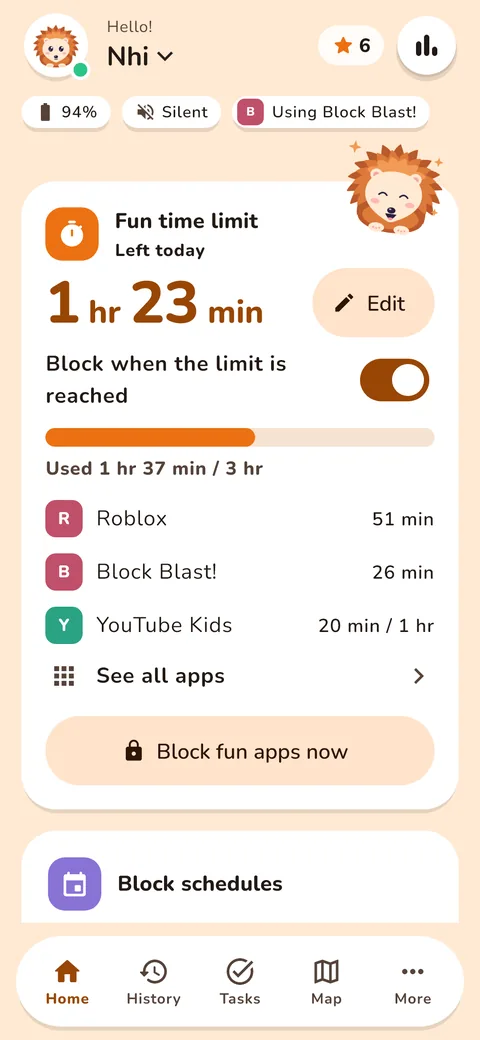

Real screens from Nimiko Family on the parent's phone and Nimiko Kid on the child's.
 Nimiko Family
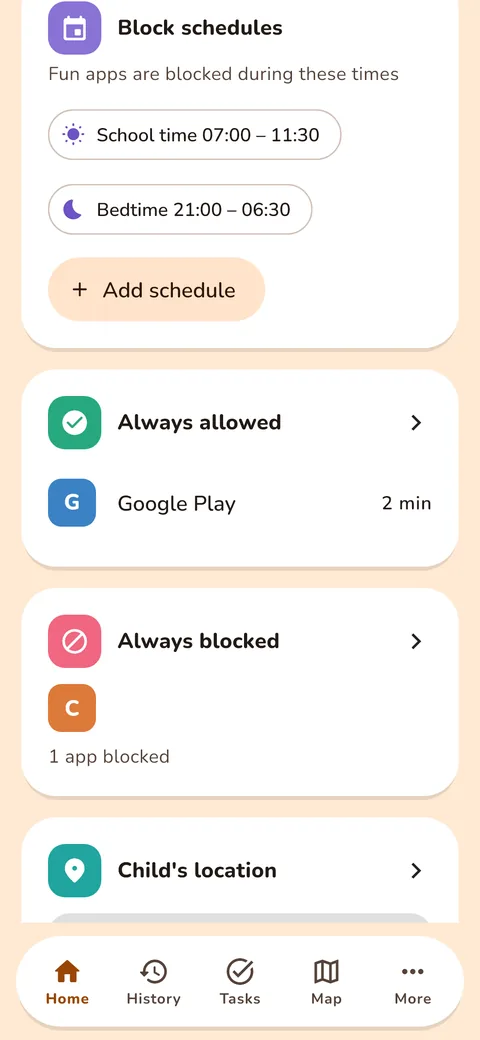
School time, bedtime: entertainment apps take a break on time.
 Nimiko Family
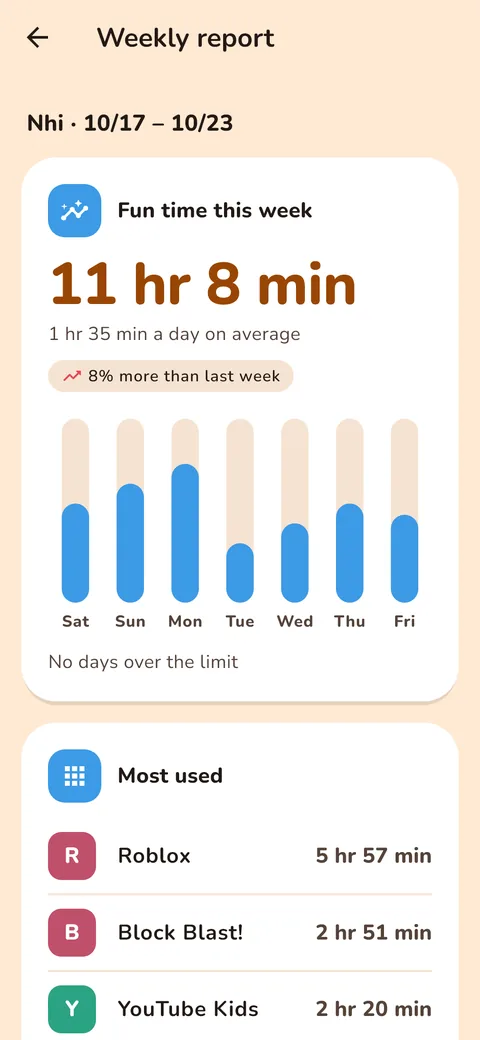
Total time, each day and the most used apps.
 Nimiko Family
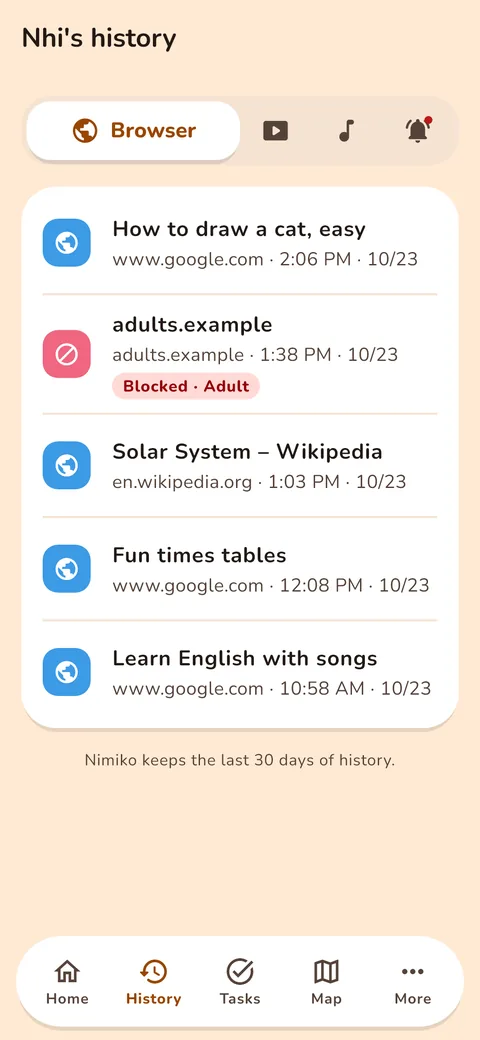
Pages your child opened, with adult sites marked as blocked.
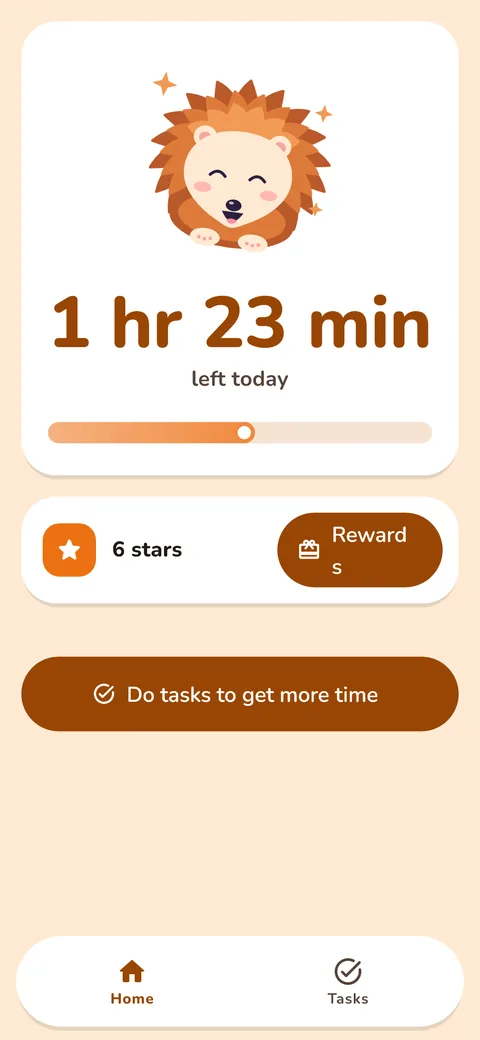 Nimiko Kid
Kids see for themselves how many minutes are left today.
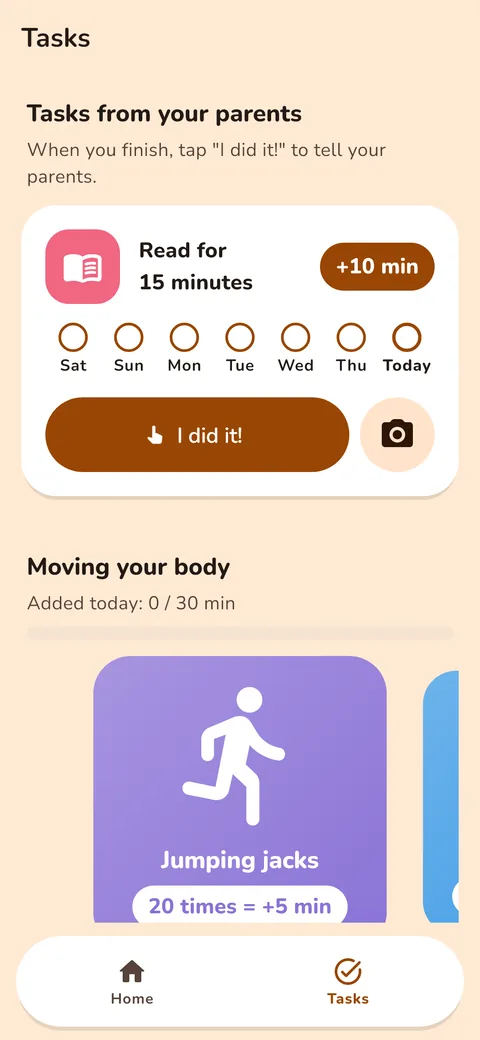 Nimiko Kid
Tasks from parents and exercise in front of the camera.
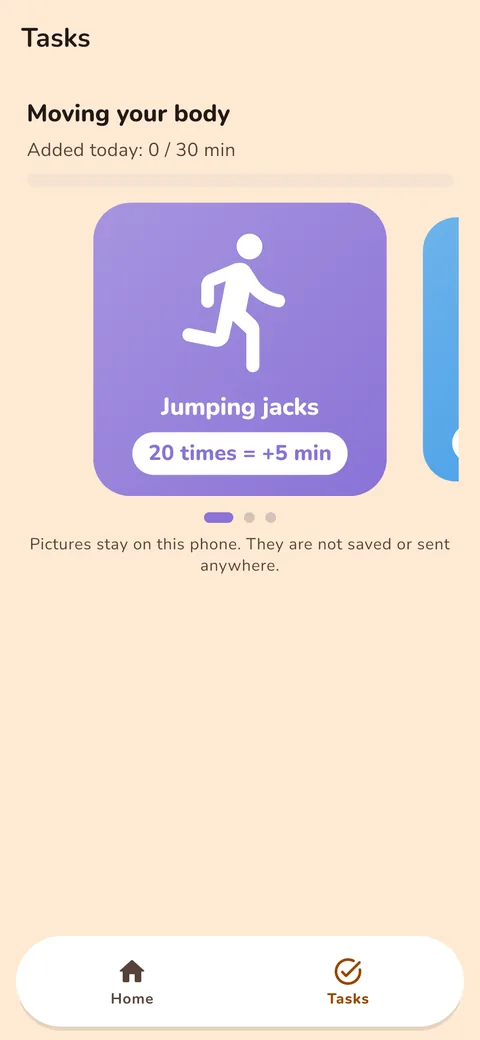 Nimiko Kid
Jumping jacks, running in place, standing on one leg: the camera counts, the picture never leaves the phone.
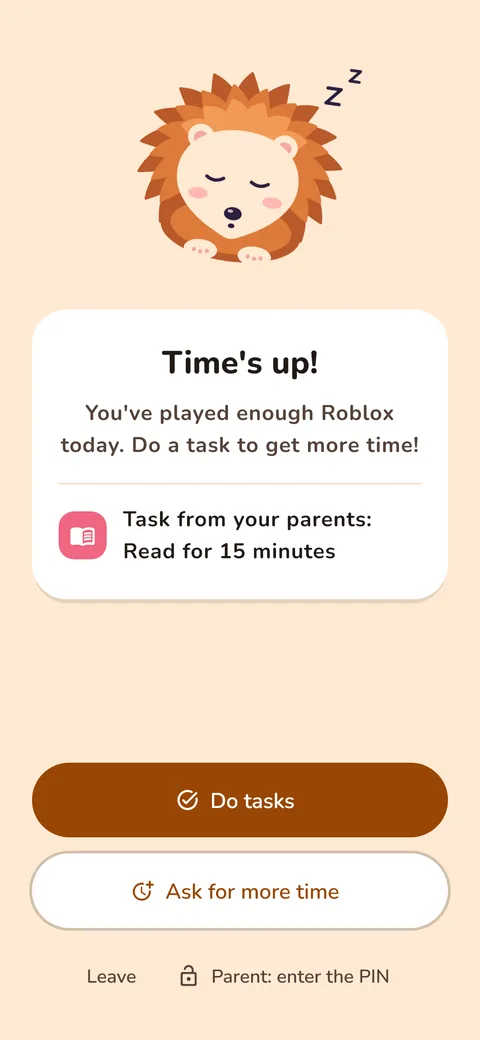 Nimiko Kid
Nimiko gently explains and suggests a task.
Everything is set from the parent's phone, and the child's device updates right away.
Set a total daily screen time and separate limits for games or social media. When time is up, entertainment apps lock; essential apps keep working.
Weekend or a special day? Add or remove a few minutes for today only; tomorrow it goes back to normal.
Set school, bedtime and mealtime hours for each day of the week. During those hours, entertainment apps take a break.
Kids do jumping jacks, run in place or stand on one leg in front of the camera, or finish tasks from their parents to earn minutes, up to a daily cap.
See which apps your child used and for how long, the websites opened in the browser and the titles of YouTube videos watched.
Flip one switch and Nimiko steers your child away from adult websites in the browser.
See where your child is on a map and how much battery their phone has left.
Your child's phone is lost somewhere in the house? Tap one button to make it ring.
Some features, such as the places your child stayed through the day, tasks, and browser and YouTube history, are part of Nimiko Premium.
Install it on the parent's phone, create an account and add your child's name.
Open Nimiko Kid on your child's phone or tablet and grant the permissions it walks you through.
Enter the 6-digit code or scan the QR code from Nimiko Family. Parent and child read it and agree together before pairing.
When pairing, Nimiko Kid explains what the parent can see and change. Parent and child tick the consent box together.
While Nimiko manages the device, your child's phone always shows a notification. Nothing runs in secret.
Your child's data is only used to run Nimiko for your family. We do not sell data, do not use it for advertising and show no ads in the apps.
Nimiko Family and Nimiko Kid are on Google Play for Android phones and tablets. There is no iPhone or iPad version yet.